
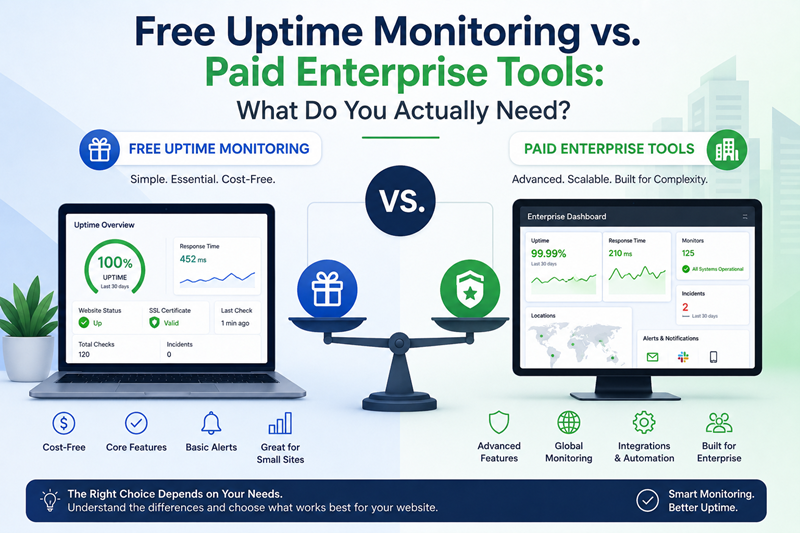
Free Uptime Monitoring vs. Paid Enterprise Tools: What Do You Actually Need?
A single unexpected outage can quiet an online business in seconds. When a server crashes or a service fails, potential customers leave, digital campaigns waste spend, and search engines take note of the unreliability. Webmasters, agency leads, and site administrators face a continuous challenge to keep assets running smoothly.
Selecting the right infrastructure tools often brings up a primary question. Should you rely on an accessible free solution, or do you need a costly enterprise platform? Marketing materials from large vendors often argue that enterprise suites are required for safety. However, understanding what your site actually needs helps avoid overpaying for unnecessary software features.
Understanding the Core Mechanics: What Is Uptime?
Before evaluating monitoring options, it helps to understand the baseline metric of site availability. Simply put, uptime measures the percentage of time a web server remains operational, responsive, and accessible to visitors over a given period. Maintaining standard targets like 99.9% availability is critical for preserving brand trust and search visibility.
Understanding What Is Uptime requires looking past simple page loads. Complete site health involves several continuous checks:
- HTTP Status Verification: Ensuring server responses return standard success codes, such as 200 OK, rather than 500-level server errors or 404 missing pages.
- Network Protocol Checks: Monitoring specific network ports and server responses via TCP, UDP, or ICMP ping checks.
- Security Certificate Validation: Tracking SSL and TLS certificate expiration dates to avoid security warnings in visitor browsers.
- Domain Expiration Tracking: Monitoring domain registration details to prevent accidental lapses.
Automated monitoring tools run these checks continuously from external servers. If a check fails, the platform sends an alert so technical teams can act before minor glitches turn into prolonged outages.
Essential Features Offered in Free Website Monitoring
A common misconception is that no-cost monitoring offers only basic capabilities. Modern platforms provide comprehensive diagnostic coverage that meets the demands of blogs, portfolios, service websites, and small e-commerce stores.
When choosing a lean monitoring setup, several core features ensure full operational visibility:
1. High-Frequency Check Intervals
Reliable platforms offer frequent checks, pinging your site every minute or few minutes. This rapid response time helps teams discover server drops quickly, minimizing hidden downtime.
2. Multi-Region Probe Networks
Network glitches can cause a site to appear offline in one region while remaining fully operational elsewhere. Multi-location verification checks server responses across several global nodes before triggering an alert, which helps prevent false alarms.
3. Integrated SSL and Domain Alerts
Security certificates and domain names require recurring renewals. Automated alerts notify administrators weeks before expiration dates, preventing sudden site lockouts and broken HTTPS connections.
4. Multi-Channel Notifications
Alerts need to reach the right person quickly. Quality platforms route notifications through email, Slack, Discord, or webhooks, integrating smoothly into existing team workflows.
Implementing a dedicated Free Website Monitoring strategy allows site owners to track uptime, domain lifespans, and port health without adding operational overhead or bloat.
What Enterprise Paid Tools Add (And Who Actually Needs Them)
Enterprise monitoring tools carry high monthly costs because they include specialized features designed for complex digital infrastructure. Evaluating these features helps clarify whether your business truly requires them.
- Application Performance Monitoring (APM): Enterprise tools track code-level execution, monitor slow database queries, and profile memory usage. Large SaaS applications need this depth, but standard content management systems rarely do.
- Synthetic User Session Scripts: Enterprise suites can run automated scripts to test multi-step user actions, like adding an item to a cart or completing complex forms.
- Custom Enterprise SLAs and Support: Large corporations often require dedicated account managers, customized legal agreements, and strict compliance reporting.
For standard corporate sites, service platforms, and online stores, these enterprise features often go unused. Paying hundreds of dollars monthly for advanced code profiling is unnecessary if your main goal is ensuring your site stays online and responsive.
How to Determine Your Monitoring Requirements
Choosing the right monitoring strategy comes down to evaluating your platform's complexity, traffic patterns, and risk exposure.
- Assess Site Complexity: A WordPress blog, marketing site, or local service page relies primarily on server availability, fast DNS resolution, and valid SSL certificates. Free monitoring tools handle these requirements effectively.
- Calculate Downtime Impact: Consider the direct financial loss of an outage. If a brief drop costs a few potential leads, enterprise transaction scripting is likely unnecessary. High-volume application platforms, however, may justify enterprise-grade tools.
- Prevent Alert Fatigue: Complex enterprise suites often send overly detailed alerts about minor server fluctuations. A focused free monitoring setup delivers clear, actionable alerts when a real outage occurs.
Authoritative Technical Standards and Search Impacts
Maintaining consistent uptime is a recognized requirement for search performance and user experience.
According to documentation from Google Search Central, frequent server drops and recurring HTTP 503 status codes can harm search performance. When search crawlers consistently hit server errors, they may reduce crawling frequency, delaying the indexation of new content.
Furthermore, technical standards set by the World Wide Web Consortium (W3C) stress the importance of reliable network transport and fast server response times. Consistent uptime ensures compliance with these core standards, protecting user trust and search engine positions.
Frequently Asked Questions
Is free website monitoring reliable enough for commercial websites?
Yes. Modern free website monitoring platforms provide reliable multi-region checks, fast notification channels, and SSL tracking. They offer complete operational coverage for most small businesses, agencies, and content platforms.
How frequently should a monitoring tool check my website status?
Checks should run every 60 seconds to five minutes. This frequency catches outages quickly without burdening your web server with excessive request volume.
What is the difference between uptime monitoring and application performance monitoring?
Uptime monitoring tracks external site availability, server response times, SSL certificates, and network ports. Application performance monitoring (APM) analyzes internal server code execution, database queries, and system memory allocations.
Can free website monitoring alert my team on communication channels like Slack?
Yes. Many quality free monitoring platforms support integrations with Slack, Discord, custom webhooks, and standard email alerts.
Conclusion
Protecting your online presence does not require an enterprise budget. While large platforms offer deep code profiling for complex software applications, most websites simply need fast, reliable alerts for uptime drops, SSL expirations, and server errors.
By leveraging a robust free website monitoring stack, business owners and technical teams maintain complete visibility over their digital assets, protect search engine performance, and ensure a smooth experience for visitors.









0 Comments